


Mastering Email Automation: Harnessing AI for Effective Communication
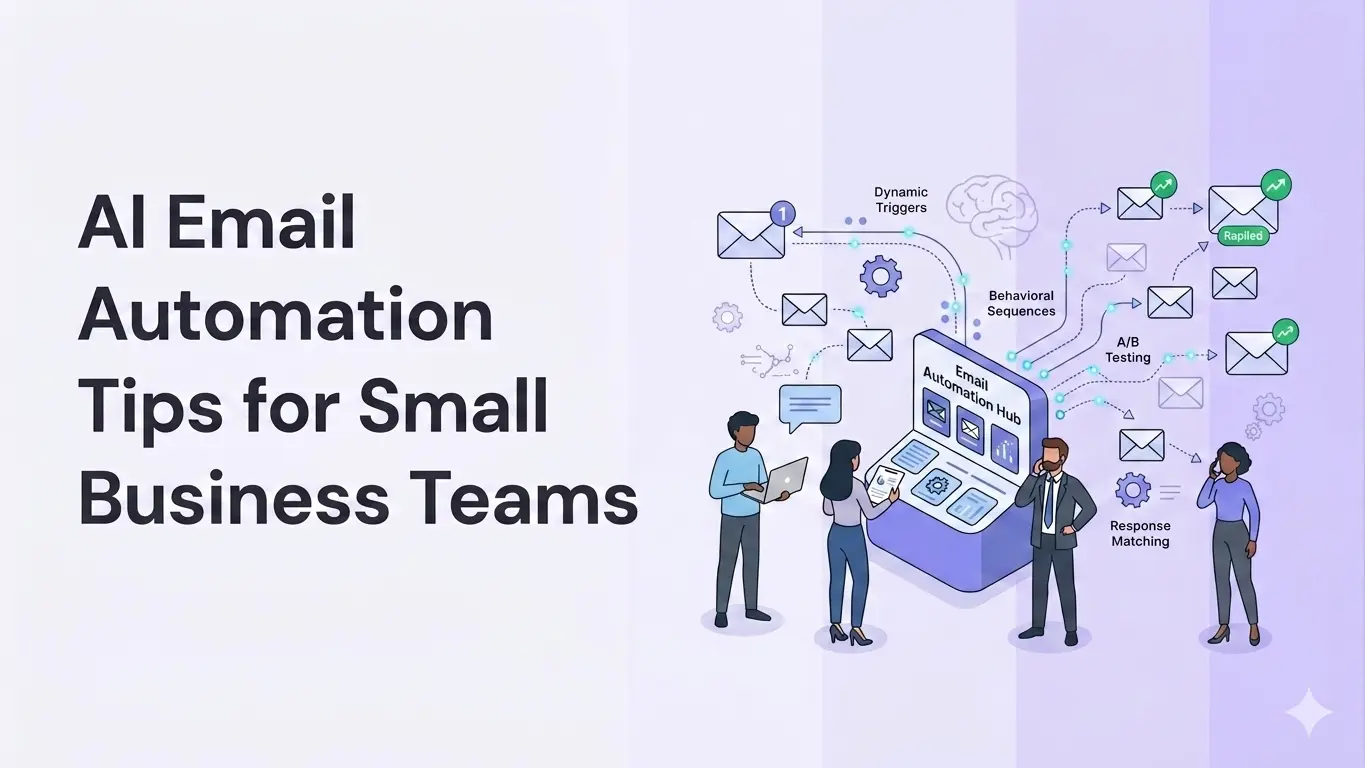
A Microsoft and MIT study of 7,137 workers found that integrating AI into email workflows reduces inbox time by 17%, saving a clean 2 hours every week.
Use of AI in email automation involves adopting software that uses machine learning to handle parts of your email program you would otherwise handle manually. It segments contacts by their actions and decides when each person should hear from you while helping you draft subject lines and copy.
You get to personalize messages for different groups without writing each version yourself, and you can retarget people based on their actual behavior. Campaigns that took a full day go out in a fraction of the time, so you reach more people without adding headcount.
This guide walks through how to get started without overbuilding, beginning with the one workflow you should automate first.
Let AI Segment Customers in Real Time
AI segmentation for email automation moves a contact from one group to another the moment their behavior changes.
Say a subscriber opened your last eight emails but has gone quiet for three weeks. The system moves them into an at-risk group and starts sending win-back messages, such as a "we've missed you" note or a small return offer. Similarly, the first-time buyer moves into a repeat-buyer group that receives restock reminders and cross-sells, rather than the welcome series they have already seen.
You set up the groups you care about, such as
- ready to buy
- needs nurturing
- at risk
- repeat buyer
- loyalty reward customer, etc.
AI keeps each contact in the right one as they act. It also predicts the action by analyzing where a contact moves in the communication funnel based on their behavior. For example, a drop in open rate or longer gaps between purchases can move someone into a win-back group when their activity signals a risk of churn.
Some platforms let you build these groups in plain language. You type a request like "show me high-churn-risk customers inactive for seven days," and the tool builds that segment, ready to target.
Klaviyo, Mailchimp, and HubSpot all support event-triggered and predictive segments that update automatically, so you do not have to edit lists manually every week.
Personalize on the Intent of The Segmented Customers
A segment tells what kind of user someone is based on customer insights. But the intent highlights what they are trying to do right now, and that should determine the email they get. You can infer intent from data you already hold: pages they viewed on the site or the size of their company.
When you plug automation into intent and segment, the email responses reflect the behavior and buying bucket rather than a fixed list. The AI matches the message to that intent. A warm lead gets a reminder, a price-checker gets a discount offer, and someone reading your docs gets a how-to follow-up.
This matters more for a small business than a large one. With a smaller list, every irrelevant email costs you real engagement. When the message fits what the reader wants, they keep opening it, and you hold on to subscribers you cannot afford to lose. Holding on to those subscribers is easier when email is part of broader customer engagement strategies that recognize the same reader wherever they show up, not a channel that works in isolation.
HubSpot tested this on its own nurture flow. Its first attempt only rewrote the email copy, and the results stayed flat. The gains came after the team retrained the system to predict what each lead was trying to accomplish, at which point they reported an 82% increase in conversion rate, a 30% lift in open rate, and a 50% lift in click-through rate.
Note: HubSpot ran this in its own funnel as a large company, so treat the numbers as a directional benchmark rather than a small-business result.
Ensure a Centralized Tech Stack
Your CRM, email platform, and payment system need to share information rather than operating in silos. Linking these tools ensures a customer's details reside in a single, connected system rather than being copied between tools. You enter each piece of information once, and every tool reads from the same record, so nothing falls out of sync.
Connecting these systems also lets your email sequences trigger on real business actions. When a customer's payment fails in Stripe and is not resolved within 24 hours, the system automatically emails them a reminder to complete the payment. You recover sales that would otherwise slip away, and no one on your team has to track failed payments and chase them.
The same integrated stack pays off internally. A payroll platform like Homebase ties the hours your team logs to its system, so wages are calculated from real timesheet data and flow into your accounting tool rather than getting typed in twice. A business that wires up both sides this way runs on a single source of truth, which makes the whole stack dependable enough to automate.
Create Templates and Rules So the Team Can Run It
Automation runs on two things: the admin templates your system sends and the rules that decide when each is sent. Think of it as a single library that anyone can run the program from, so no one has to rebuild it from memory.
Templates exist to enable more repeatable sending without manual rework from scratch. A standard welcome email or a renewal reminder becomes a reusable block that the system fires on the suitable trigger. You set the copy once, and it runs across thousands of sends without anyone having to retype it. Each block lives in the library, so the next person who builds a flow pulls from approved copy instead of starting over.
Templates only do their job when something tells them when to fire, and that is where rules come in. Rules are the logic around those templates. They cover which trigger shows up which message, how long to wait between emails, and when to take a contact out of automation and pass them to a person. Write these into the same library, because that keeps the system predictable once more than one person is touching it.
The same library is what you feed the AI. Give the tool your approved material so its drafts come back accurate and in a voice your customers recognize:
- Offers and current promotions
- FAQs and service details
- Brand tone and the objections customers raise most
- Policies you never want misinterpreted
When you add a few past emails that performed well as style references, the AI matches your brand voice more closely.
Once the template library and rules exist, the next problem is making sure every person who touches the automation knows what is in there. A learning content management system handles that part. You build short modules around the same material. New hires run through the modules and start contributing without weeks of shadowing, and you get a record of who has been trained on what once more than one person is editing flows.
Hyper-Personalize the Content Itself
The earlier tips decide who gets an email and when it fires. This tip is about what the email actually says.
Built-in AI writing tools in Mailchimp and HubSpot can rewrite the same newsletter in different tones for different readers and generate subject line options for each. The version each person receives stays customized, so it reads as if it were written for them rather than sent as a single fixed message to everyone.
At this point, you bring a human into the loop, which matters most for the content itself to keep personalization at scale from sliding into something generic.
AI drafts tend to come out more formal, wordier, and less personal than what a person would write, which a 2025 Web Science study found when comparing LLM emails against human ones. A human editor pulls the copy back into your real voice, so the message still sounds like your business.
A workable setup is that the AI generates the variations, anything new or high-stakes goes to a person for sign-off, and only your proven low-risk templates send on their own.
Conclusion
AI email automation gives a small team the reach of a much larger one, as long as you build it in the right order. While each tip on its own saves time, together they let you run a campaign that once required a dedicated marketer.
Outbound prospecting is the one place where this gets hardest to scale, because every cold opener has to feel researched rather than templated. SmartWriter handles that step, as it reads a prospect's public activity and writes a personalized first line for each contact, which is the part of cold outreach that eats the most time.
The teams that get value from AI email automation are the ones that start small, prove a single workflow, and expand from there.
.webp)
.svg)