


Why do AI cold emails sound robotic in the first place?
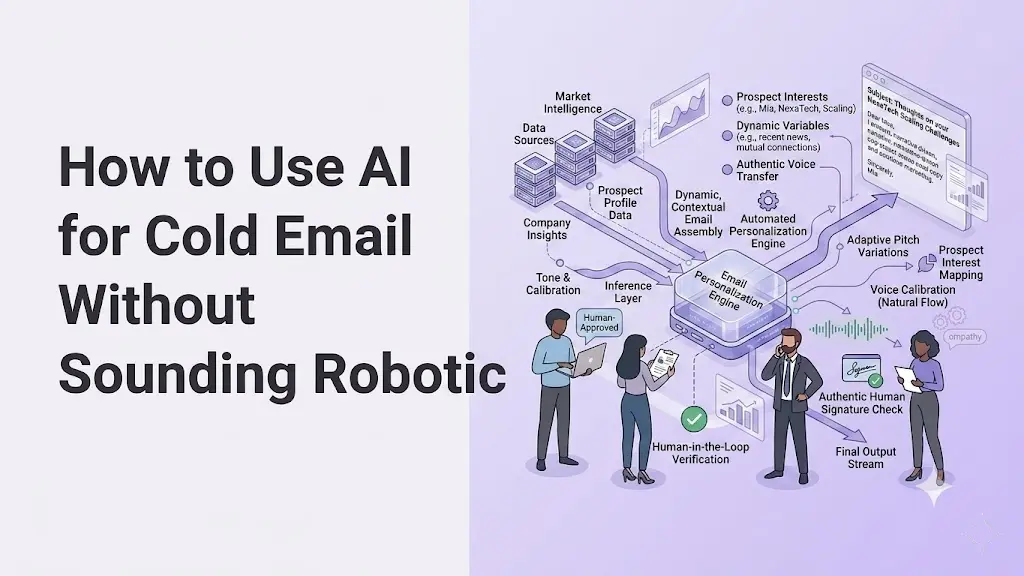
Most cold email AI fails for one reason: people hand it a vague prompt and accept the generic draft it returns. Learning how to use AI for cold email without sounding robotic comes down to better input, strict guardrails, and a fast human edit before you hit send.
Feed the tool real prospect signals, set rules on tone and length, and review every message as the recipient would read it.
Do that and your AI cold email reads like a sharp person wrote it in two minutes, because one did. This guide shows you the exact workflow, prompts, and fixes that get replies.
Quick Answer
To use AI for cold email without sounding robotic, feed it one real prospect signal, set guardrails that ban buzzwords and cap length at 120 words with one clear ask, then spend 60 seconds editing each draft as the recipient. The tool gives you 80 percent. Your signal and edit bring the final 20.
Key Takeaways
- AI cold emails sound robotic because of weak input, not a weak tool. A vague prompt makes the model reach for the safest, most average wording, which reads as fake.
- One real verified signal beats heavy personalization. A trigger event like funding or hiring proves you looked. Skip any line where the data is missing rather than letting the AI guess.
- A variable schema keeps the AI honest. Fill nine core fields with real prospect data first, so the model writes from facts instead of invention.
- A guardrail prompt does the heavy lifting. Cap length at 120 words, allow one clear ask, ban buzzwords like leverage and seamless, and lead with the signal.
- The 60-second human edit is non-negotiable. Read every draft as the recipient, cut the AI tells, and never send unread, even with a strong prompt.
- Deliverability and pacing decide if it lands. Authenticate your domain with SPF, DKIM, and DMARC, start at 20 to 30 sends per day, and scale slowly on reply data.
Why do AI cold emails sound robotic in the first place?
AI cold emails sound robotic because the tool fills vague prompts with the most average version of what you asked for. When you type "write a cold email to a prospect," the model has no relationship context, no real signal, and no tone direction, so it reaches for safe, formal, inoffensive language. That safety is exactly what reads as fake.
Here is the part most senders miss. The model is not broken. It is doing precisely what a thin prompt asks: producing a universally acceptable email that could go to anyone. Generic input produces generic output, every time.
A weak prompt like "write a follow up email to a lead" returns the same hollow draft everyone recognizes: a hope-this-finds-you-well opener, a buzzword or two, and a soft close that commits to nothing. Buyers delete these on sight. Many say they can spot an AI-written email in seconds, usually from the bloated intro and words like leverage, synergy, and seamless.
The fix is never a fancier tool. It is richer input plus rules. Give the AI a real trigger event and a tight set of constraints, and the robotic tone disappears.
What information turns a generic AI email into a specific one?
Four inputs separate a deletable AI email from one that earns a reply: who the prospect is, the real goal, the feeling you want to create, and the single verified signal you are leading with. Miss these and the model guesses. Provide them and it has something true to build around.
Start with the relationship. A first-touch stranger needs a different tone than a warm lead who already replied once. Then name the real goal underneath the surface one. The surface goal of outreach is "start a conversation." The real goal might be booking a 15-minute call or reopening a thread that went quiet.
Next, decide what you want them to feel: understood, curious, or simply not pitched at. Finally, lead with one concrete signal. A practical example: instead of "I noticed your company is growing," write "saw you're hiring five SDRs this quarter." One is filler. The other proves you looked.
The golden rule from experienced outbound teams: if a data point is missing, skip that line. Never let the AI invent a fact to fill a gap. An empty field beats a confident hallucination that gets exposed in the reply.
How do you build a variable schema so AI uses real data only?
A variable schema is a short list of fields your team fills with verified prospect data before the AI writes a word. It forces the model to work from facts you supplied, not from invention. Most teams can populate it in about two minutes per prospect.
Keep it to nine core fields that are fast to collect and easy to verify:
A real scenario shows why this matters. If "Trigger event" is blank for a prospect, you leave the trigger line out entirely rather than letting the AI write "in this exciting time of growth." The schema's whole job is to keep dirty, made-up data out of your pipeline, which saves hours of cleanup later.
What does a good guardrail prompt for cold email look like?
A guardrail prompt is a fixed set of rules that stops the AI from producing generic, robotic copy. It tells the model what to do, what to avoid, and how long the message can be. The same prompt then works across every prospect in your list.
Your guardrail prompt should enforce a few non-negotiables: write short sentences in plain words, lead with the real signal, keep the whole message under 120 words, allow exactly one call to action, and ban buzzwords like leverage, synergy, seamless, robust, and cutting-edge.
Pair it with a three-part structure for the body itself:
- Hook: reference the trigger event or role context.
- Value: state one clear outcome in a single sentence.
- CTA: one specific ask, like a 15-minute call next week.
Here is a copy-ready prompt you can adapt:
"Write a cold email to [name], [title] at [company]. Lead with this signal: [trigger event]. The pain it creates is [role pain]. We help by [solution angle]. Rules: under 120 words, short plain sentences, one specific ask (a 15-minute call next week), no buzzwords, no 'I hope this finds you well,' no multiple links. Sound like a direct, helpful person, not a template. If any detail is missing, leave that line out. Never guess."
That prompt produces a draft that needs minutes of polish, not a rewrite, because every rule it follows is a rule the average AI email breaks.
How do you remove AI tells before you send?
You remove AI tells with a 60-second edit where you read the message as the recipient, not the sender. Even a strong prompt leaves fingerprints, and a fast human pass catches them. This step is the difference between a message that sounds human and one that almost does.
Hunt for the usual artifacts. Delete any "I hope this email finds you well" opener. Strip buzzwords the prompt missed. Cut long windups so the first line carries the signal. Watch for sentences that are all the same length, which is a classic machine rhythm.
Compare the two versions of the same outreach:
Robotic: "I hope this email finds you well. I wanted to reach out because I noticed your company is experiencing rapid growth. Our robust platform offers seamless integration."
Human: "Hi Mark, saw you're scaling your sales team this quarter. Fast growth usually means reps lose hours to manual prospecting. We automate that part. Worth a quick 15-minute call next week?"
The human version leads with a real signal, drops the fluff, and asks once. In our experience, this edit takes under a minute on a well-prompted draft, and no cold email should ever leave without it.
Why does deliverability decide whether your AI cold email even gets read?
The best AI copy still fails if your sending domain is not authenticated, because the message never reaches the inbox. Before you scale sends, your domain needs correct SPF, DKIM, and DMARC records, plus a properly warmed mailbox. Skip this and your human-sounding emails route straight to spam.
Getting SPF, DKIM, and DMARC right is the part most senders get wrong, and it's worth having your cold email infrastructure set up properly before you scale volume.
The setup is a real technical process. SPF authorizes your sending servers. DKIM signs your messages so receivers can verify them. DMARC tells receiving servers how to handle failures. Then you warm the domain gradually instead of blasting volume on day one.
A practical starting point most senders use is 20 to 30 messages per day per mailbox, raised slowly as reply quality holds. Get this foundation right and every other improvement in this guide actually has a chance to land.
How do you scale AI cold email without hurting deliverability?
You scale by raising volume slowly and watching reply data, not by sending bigger batches faster. Volume without strategy burns your domain reputation, and a burned domain undoes every other improvement. Growth should be earned, not forced.
Start at 20 to 30 messages per day per channel. If reply quality stays strong and deliverability stays stable, increase by roughly 10 to 15 percent each week. Sudden jumps are what trigger platform restrictions and spam filters.
Track four numbers so you are adjusting on evidence, not gut feel:
- Reply rate: how many prospects respond.
- Positive replies: responses that move the deal forward.
- Meetings booked per 100 sends: your real conversion signal.
- Time saved per message: the efficiency the AI is actually buying you.
Run one small A/B test per week, usually on the subject line or the CTA wording, and feed what wins back into your guardrail prompt. The whole system gets sharper the more reply data it sees.
Common mistakes that make AI cold emails sound robotic
Most robotic emails come from the same handful of avoidable errors. Fix these first.
- Feeding the AI weak input. A thin prompt is the single biggest cause of generic output. Lead with a real signal or expect filler.
- Letting the AI guess missing facts. A hallucinated detail destroys trust the moment the prospect notices. Leave the line out instead.
- Skipping the human edit. The 60-second read-through catches the tells a prompt cannot fully prevent. Never automate it away.
- Keeping buzzwords. Leverage, synergy, seamless, and robust are instant delete triggers. Cut every one.
- Scaling volume too fast. Big sudden batches wreck deliverability, so even perfect copy lands in spam.
How to choose your AI cold email setup
Picking the right approach depends less on the tool and more on your inputs and process. Use these criteria:
- Signal quality first. Any tool works with real trigger data. No tool works without it.
- Prompt control. Choose a setup where you can lock in guardrails, not just type one-line requests.
- Human-in-the-loop. Pick a workflow that lets you review and approve every message before it sends.
- Deliverability foundation. Confirm your domain authentication and warmup are handled before you scale anything.
- Reply analytics. Favor a process that surfaces reply rate and meetings booked so you can improve the prompt over time.
The honest truth is that the tool matters far less than the workflow around it. A simple AI model with great inputs and a tight edit beats an expensive platform fed lazy prompts every time.
Conclusion
Knowing how to use AI for cold email without sounding robotic is not about finding a smarter model. It is about giving the model real signals, locking it inside clear guardrails, and spending 60 seconds editing every draft as the recipient. Do that and AI writes outreach that sounds like a focused human, because the human direction is what makes it work. The tool gives you 80 percent. You bring the final 20. Start with one real signal on your next email and build the system from there.
Frequently Asked Questions
How much personalization does an AI cold email need to get replies?
One strong, verified signal plus a role-specific insight is enough. Focus on a real trigger event like funding or hiring rather than a generic compliment. Quality of signal beats quantity of personalization every time.
What is the ideal length for an AI cold email?
Keep most cold emails between 70 and 120 words with one clear ask. This length suits both professional emails and LinkedIn connection notes. Longer messages dilute the signal and lower reply rates.
Should I tell prospects I used AI to write the email?
No. Prospects care about relevance and value, not which tool produced the words. As long as the message is accurate and genuinely useful, the method behind it does not matter to the reader.
How do I stop AI from inventing facts about a prospect?
Use a strict variable schema with verified data only, and add a prompt rule stating the AI must use provided fields and never infer missing ones. An empty field is always better than a wrong fact in a cold email.
How many AI cold emails can I safely send per day?
Start with 20 to 30 messages per day per mailbox or channel. Increase by about 10 to 15 percent weekly only if reply quality and deliverability stay stable. Sudden volume jumps trigger spam filters and platform limits.
Does AI cold email writing work in other languages?
Yes. Most major AI models write in many languages. Just state the output language clearly in your prompt and keep the same guardrails on tone, length, and buzzwords so the message stays human in every language.

.svg)